Registering a Handle
A Handle is your unique identity within the NIC system. You need a handle to register domains, manage contacts or act as a technical administrator.
Individual & Government Organisation
-
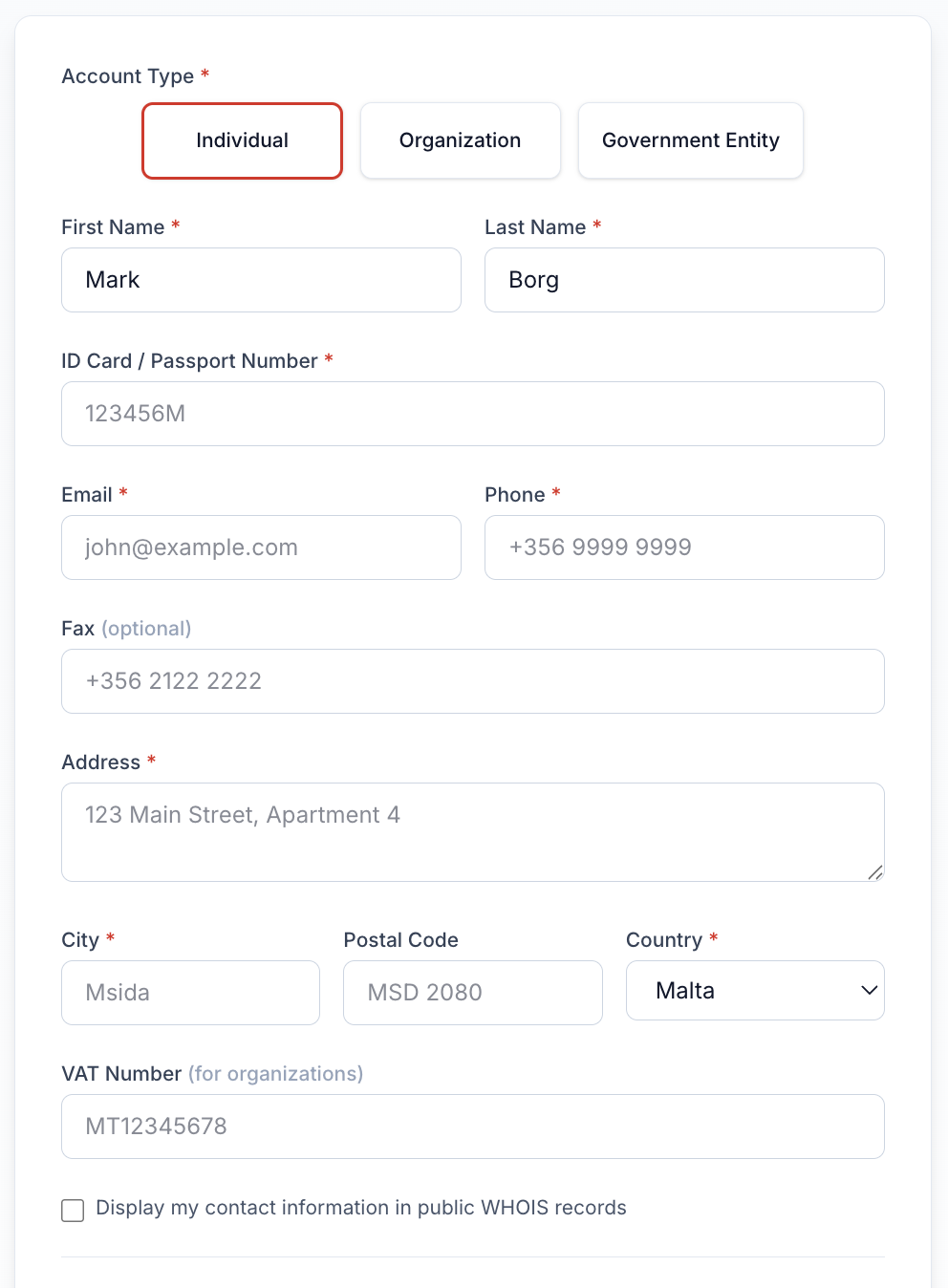
Navigate to the home page click the login button to the top right > Register Handle:
-
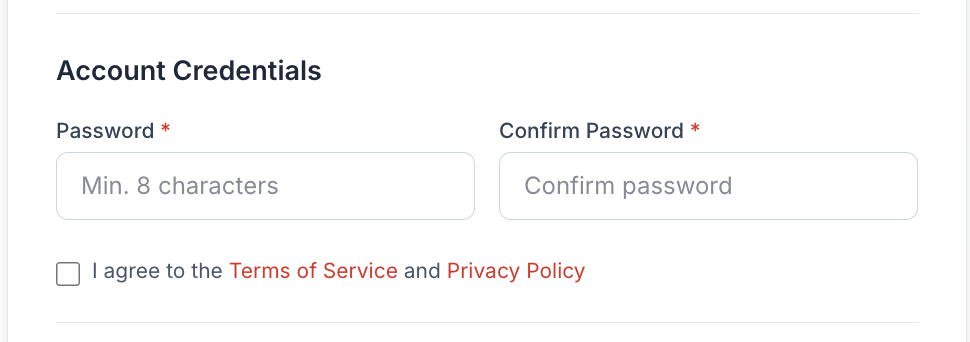
Set password:
-
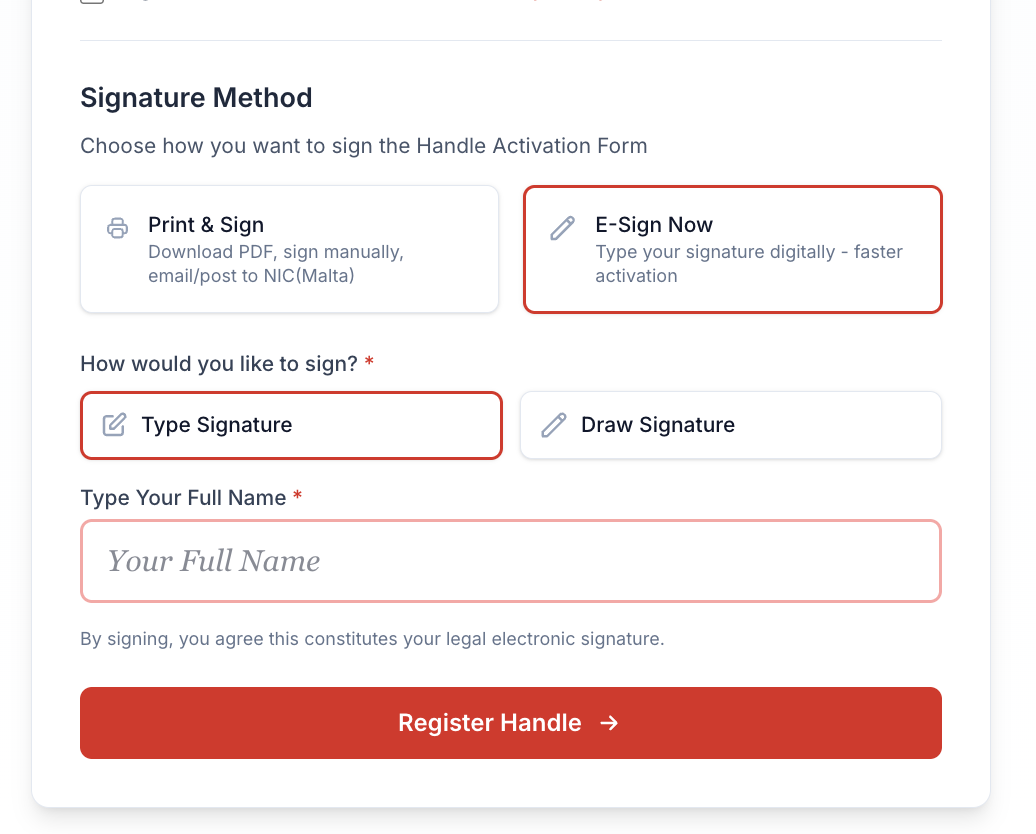
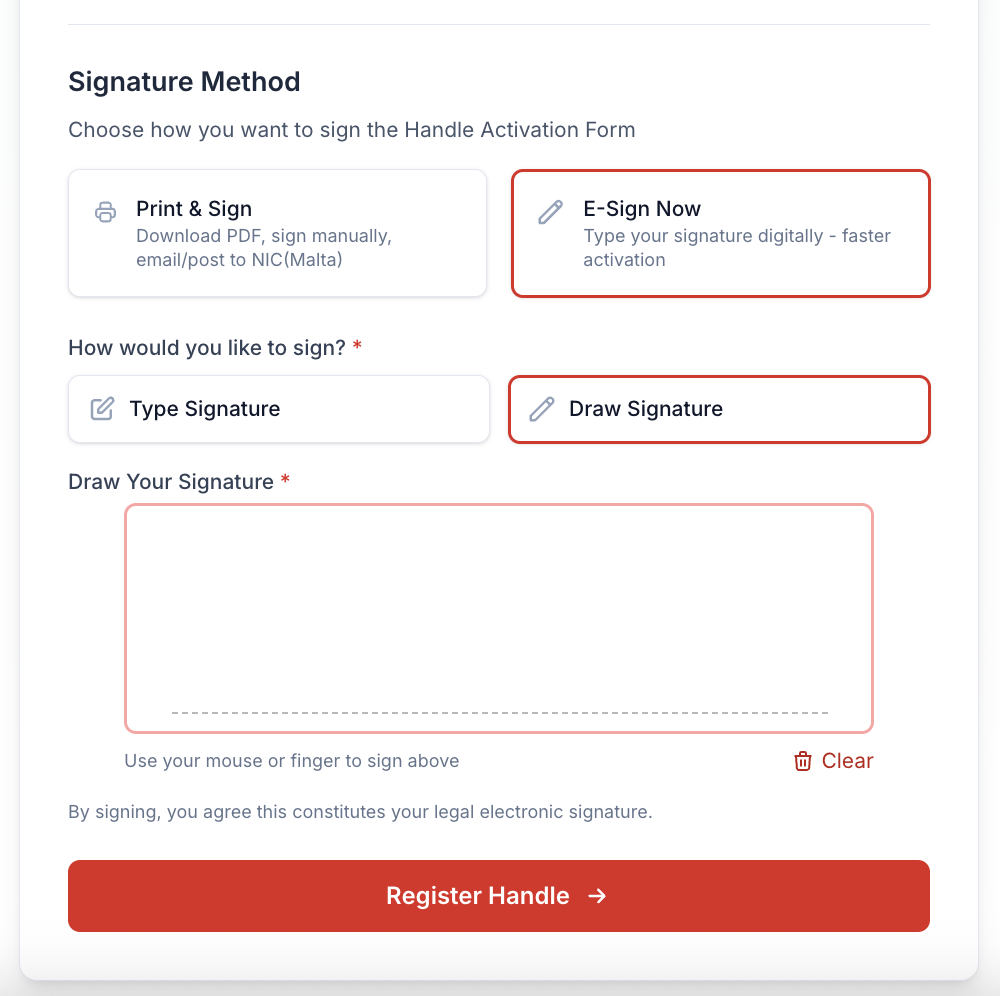
The next step is to sign the registration form:
a. Print registration form and upload via Dashboard later:
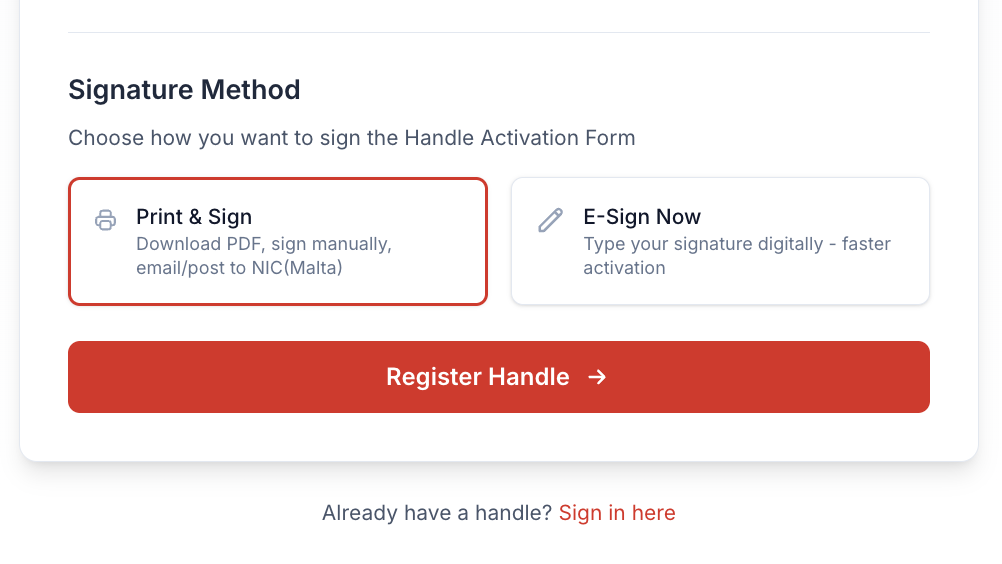
b. E-Sign online with a Type Signature:
c. E-Sign online with a Draw Signature:
-
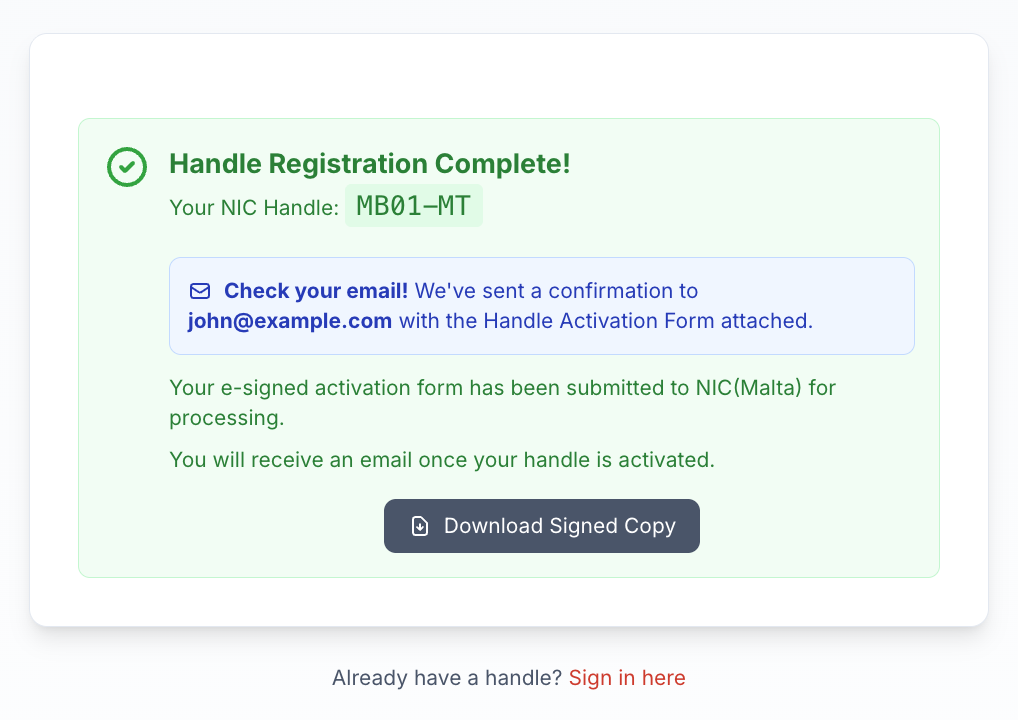
Confirmation of registration and option to download registration form: